OnliKit tool
Try the Disposable Mailbox now — free, no signup
Why I Stopped Giving Out My Real Email (And You Probably Should Too)
- Published On: May 2, 2026
- Category: mail
Why I Stopped Giving Out My Real Email (And You Probably Should Too)
A few years back I signed up for a "free" PDF tool. One PDF later I had three newsletters I never asked for, two re-marketing emails about "your unfinished conversion", and a polite reminder to upgrade. None of it was a scam. All of it was noise. And it was all going to the same inbox I use for actual work.
Eventually I gave up. Now whenever a website asks for an email "just to download" or "just to verify", I hand it a disposable one and move on. That's the whole pitch for the Disposable Mailbox on Onlikit. It exists because I wanted one, not because somebody told me temp mail is hot right now.
You can open the inbox from the button at the top of this page; other utilities sit in the tools directory if you landed here from search.
What a disposable mailbox actually is
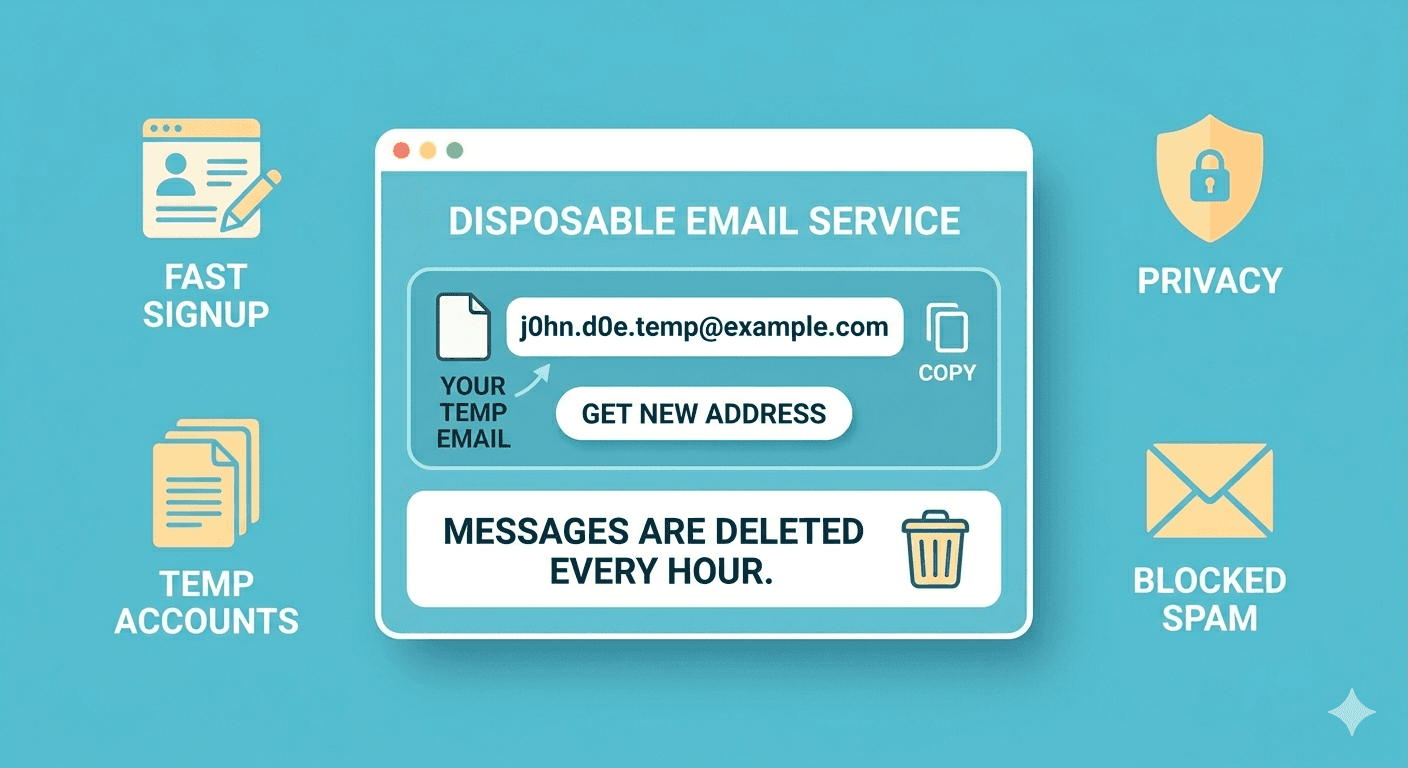
A disposable mailbox is a real email address that lives somewhere else. You make it up on the spot, give it to a website, and read whatever lands there in a tiny inbox. When you're done, you walk away. No account, no settings page, no password to forget.
In our case the address looks like whatever-you-typed@mail.onlikit.com. Type a name, hit open, and you have an inbox.
Everything the Onlikit mailbox does
Keeping the feature list short on purpose. Here is what's actually in the tool today:
- Pick any username you want — type a word, get
that-word@mail.onlikit.com. No signup, no captcha, no password. - Shareable inbox URL — the address goes into the page URL, so you can bookmark it, paste it into a notes app, or come back to it later from the same browser.
- Real-time-ish inbox view — a side list of messages with subject, sender, and time received. Click one to read it.
- Full message viewer — opens the email with the proper HTML body when there is one, and falls back to clean plain text when there isn't.
- Refresh button — for when you sent yourself a verification mail and want to grab the code right now without waiting on a tab to reload itself.
- Clear button — wipes the current view and gets you back to a fresh start.
- Empty inbox is not scary — instead of a blank screen, you get a clear "nothing yet, try refresh" so you know the tool is fine and the message just hasn't landed yet.
- Mobile-friendly layout — the message list stacks above the reader on a phone, and sits beside it on a laptop. Works the same either way.
That's it. No folders. No labels. No "premium tier". If a feature is missing, it's missing on purpose so the page stays small and fast.
When it actually helps
Some real situations where I reach for a disposable mailbox before reaching for my real one:
- Trying a new app I'm not sure about. I want to see the dashboard, not their drip campaign.
- One-time downloads behind an email gate. Whitepapers, sample chapters, "free" templates. The download is the value; the email gate is just rent.
- Signing up to read a single article. I'll happily pay for things I love. I don't need to pay attention forever to read one piece.
- Filling out a form that doesn't need to remember me. A contest entry, a poll, a "calculate your savings" page.
- Testing my own product. When I'm building a sign-up flow or password reset, I burn through dozens of test addresses. A disposable inbox makes that painless.
- Sharing a temporary contact with a stranger. Selling something on a marketplace, or sending a one-time question to a vendor.
If your real inbox already has 12 unread newsletters, a coupon you'll never use, and someone reminding you about a cart you abandoned in 2019, you'll appreciate the breathing room.
When it doesn't help
A disposable mailbox is great for "I just need to receive one thing". It's a bad idea for anything you actually care about long-term:
- Banking, government, medical, or insurance accounts.
- Any account that holds money or carries identity.
- Things you'll need to recover later, like cloud storage or work tools.
- Two-factor verification for anything important.
If losing access to that login would ruin your week, give it your real email. The disposable one is for the small stuff that shouldn't follow you home.
How to use it in about ten seconds
- Open the Disposable Mailbox tool from the button at the top of this article.
- Type any username you like (something easy to remember works best).
- Hit Open inbox.
- Use the address shown —
username@mail.onlikit.com— wherever you need an email. - Come back, hit Refresh, and read whatever shows up in the message list.
If a message doesn't appear right away, give it a few seconds and refresh again. Some senders take a moment.
Tips that make it even nicer
- Use a hard-to-guess username. "test" and "abc" are likely already in use by other people doing the same thing. Pick something a bit more specific so you don't bump into someone else's signup confirmations.
- Bookmark the inbox URL. The address lives in the browser URL, so saving it as a bookmark gives you a one-click way back to the same inbox later.
- Keep your real email for things that matter. Disposable mail is a tool for the throwaway moments, not a replacement for the inbox you actually live in.
A short note on privacy
Anything you receive at an Onlikit address can be read by anyone who guesses the same address. That's the trade-off you make for "no signup, no password". Treat the inbox like a public wall — fine for a one-time confirmation code, not fine for sensitive documents.
In practice that's totally fine for the use cases above. Just don't have your bank email you there.
Open the tool
The button at the top of this article opens the inbox. Type a name, hit open, and you have an email address you can use right now. The next time some random website asks for your email "just to download", you'll have an answer that doesn't cost your inbox.